





AI Food Ads
Upload one real photo of your dish and get mouth-watering food ads for Instagram, Facebook and TikTok with your dish name and price, plus clean, text-free menu photos for DoorDash and Uber Eats.
AI Food Ads: restaurant ads from one real dish photo
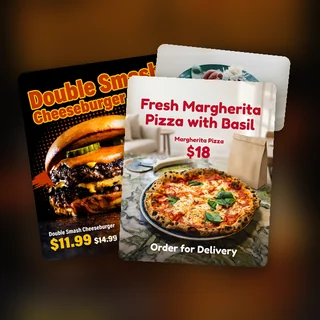
Upload one photo of your dish, add its name and price, and pick a style. AI Food Ads keeps your food exactly as you cooked it, builds a new scene and light around it, and lays out a finished ad with your price tag and a call to action, sized for Instagram, Facebook and TikTok. It can also make clean menu photos without text for DoorDash and Uber Eats.
- Your dish, toppings and portion stay as photographed
- Dish name and price printed exactly as you typed them
- Social sizes plus DoorDash and Uber Eats photos, 7 credits each
Five dishes, five food ads
Real results from AI Food Ads: a burger, a sushi platter, boba tea, a pizza and a croissant, each in a different style.
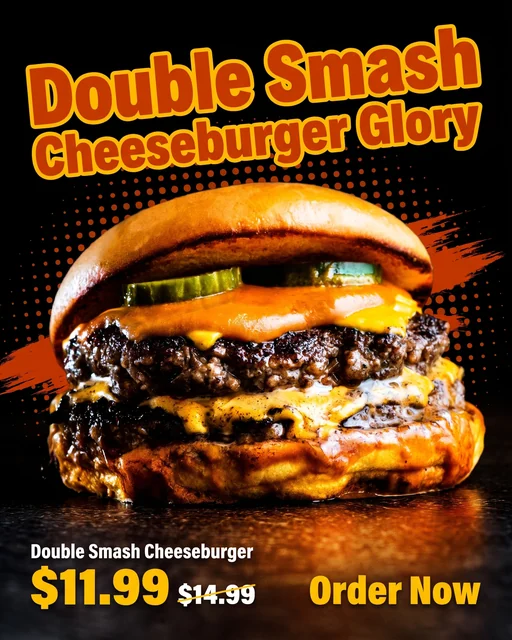
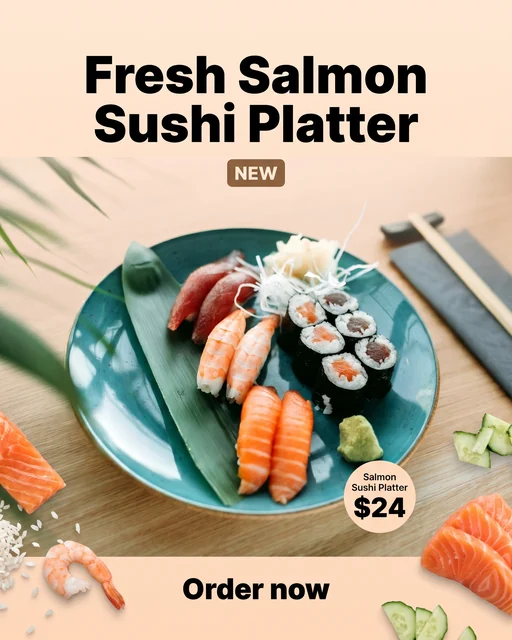
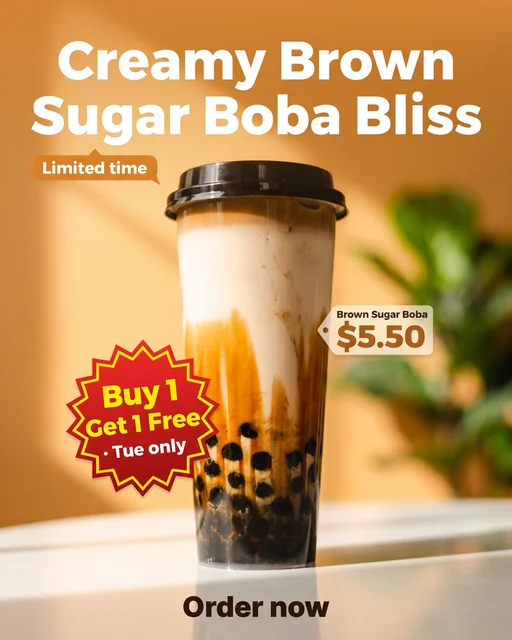
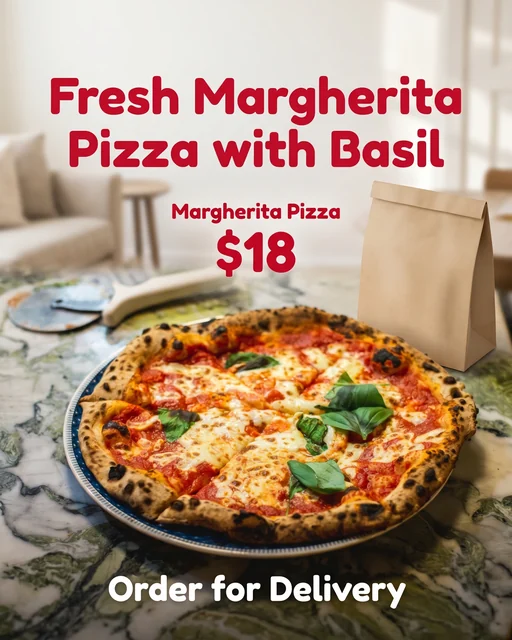
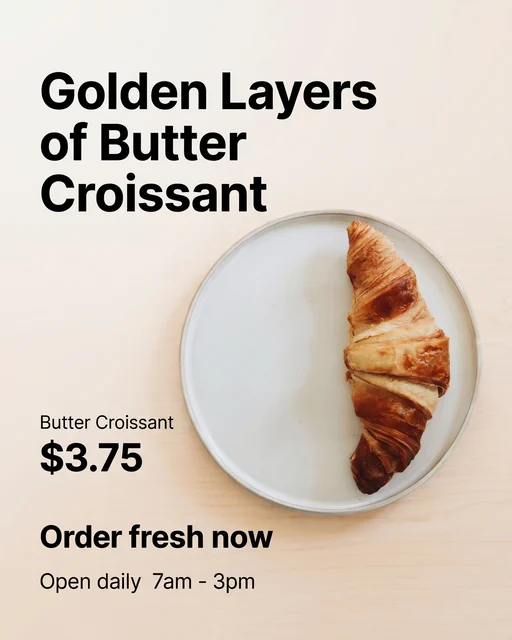
Each run uses one dish photo, one style and the sizes you tick. Shown here: the 4:5 ad of each case. Every size from AI Food Ads is its own 2K PNG with the same dish, scene and text.
Make a food ad in three steps
Every ad from AI Food Ads comes from the same three steps.
Upload a photo of your dish
Add one JPG, PNG or WEBP photo up to 10 MB, at least 256 pixels on each side, or bring it in from a web page with Import link. One dish per photo works best; for a combo, shoot the whole set together.
Add the price and pick a style
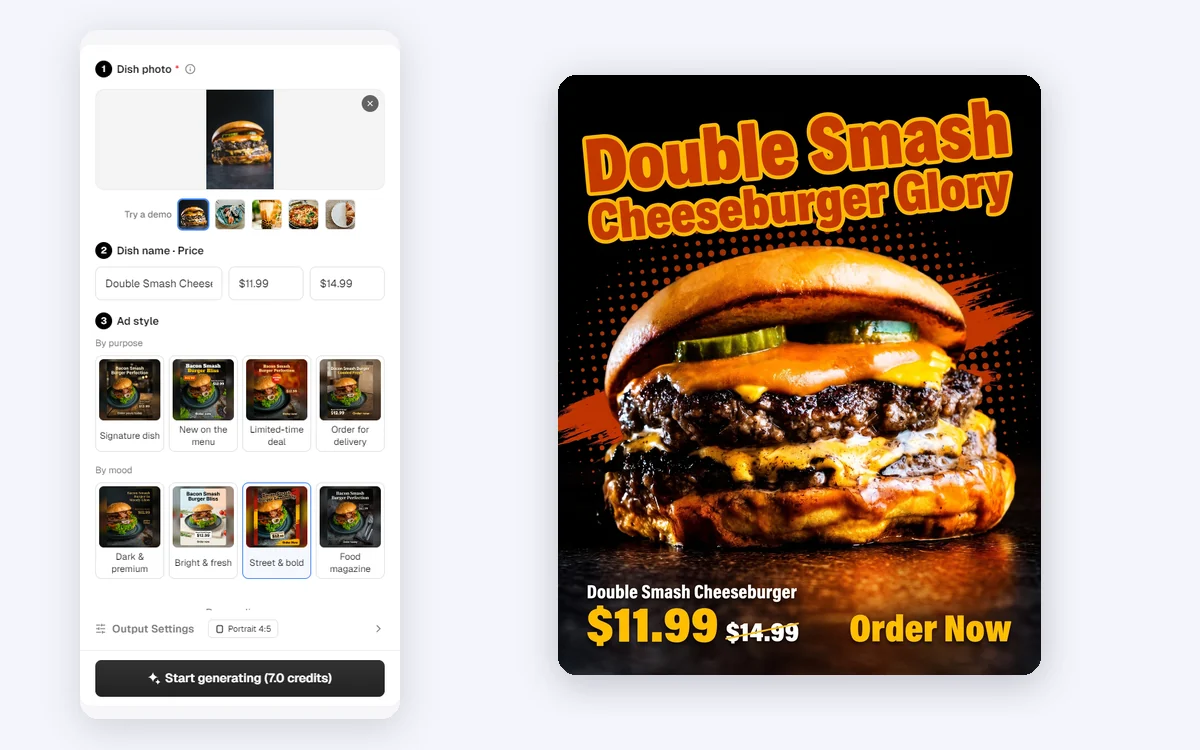
In Dish name · Price, type the name, the price and, if you like, the original price to show a crossed-out price. Then pick a style: Signature dish, New on the menu, Limited-time deal, Order for delivery, Dark & premium, Bright & fresh, Street & bold or Food magazine.
Choose sizes, then generate
Personalize holds the optional Store name, Offer, Call to action, Store info, logo, brand color and Ad language. In Output Settings, tick social sizes or Delivery app photos (no text). Start generating shows the total first.
Social ads and delivery app photos from one photo
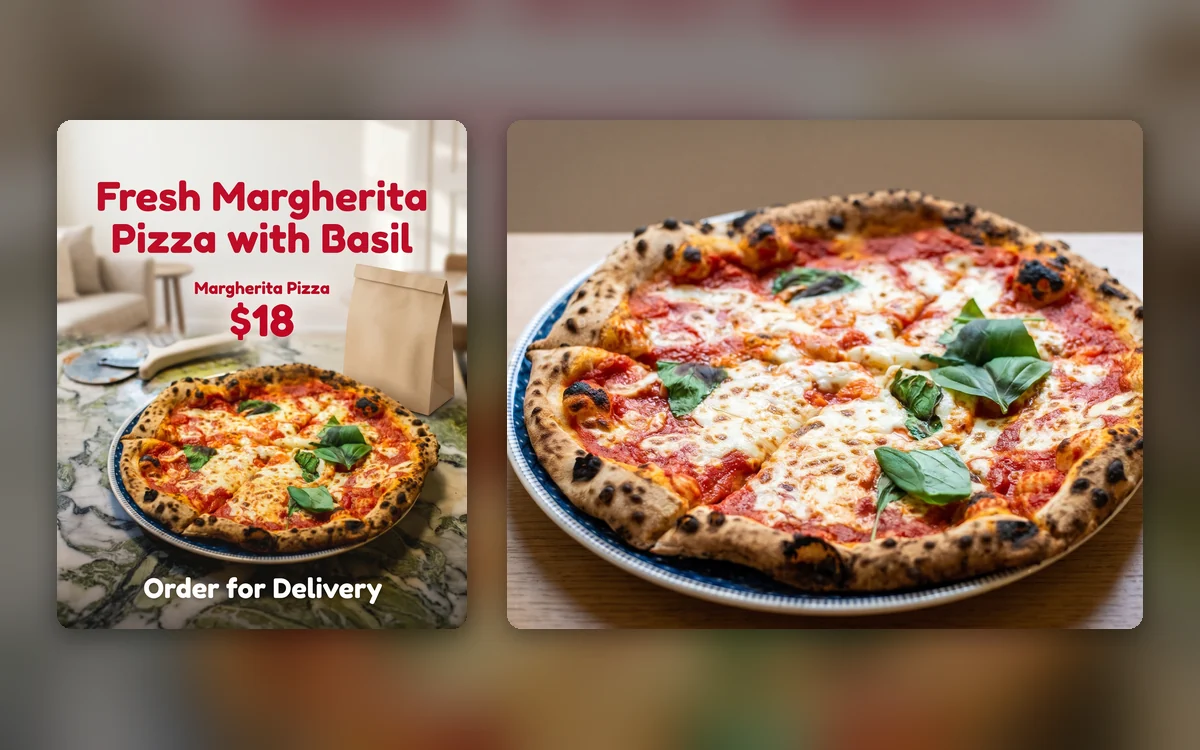
Tick DoorDash 16:9 or Uber Eats 5:4 next to your social sizes, and AI Food Ads also makes a clean menu photo of the same dish: natural light, a simple background, the dish centered, and no text, logo or border, exported at 1920×1080 or 1920×1536 pixels.
- DoorDash 16:9 at 1920×1080, Uber Eats 5:4 at 1920×1536
- No text, price, logo or frame on delivery photos
- Same dish photo and order as your social ads
Your price, printed exactly as you typed it
The dish name and prices on the ad come from the Dish name · Price row, not from AI, so a wrong number can't slip in. Add an original price and it appears crossed out next to the new one. AI Food Ads writes a short headline and call to action with no numbers of its own.
- Any currency sign: $12.99, 12,90 € or ¥38
- Original price must be higher than the price, checked before you pay
- Your logo is pasted on social ads as uploaded, never redrawn
How restaurants use it
Three ways food businesses use AI Food Ads for menus, deals and delivery.
A weekday deal for a tea shop
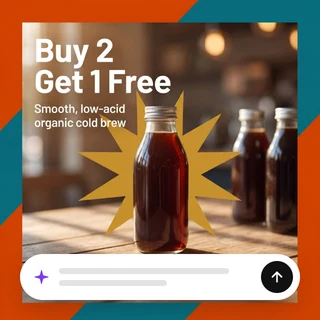
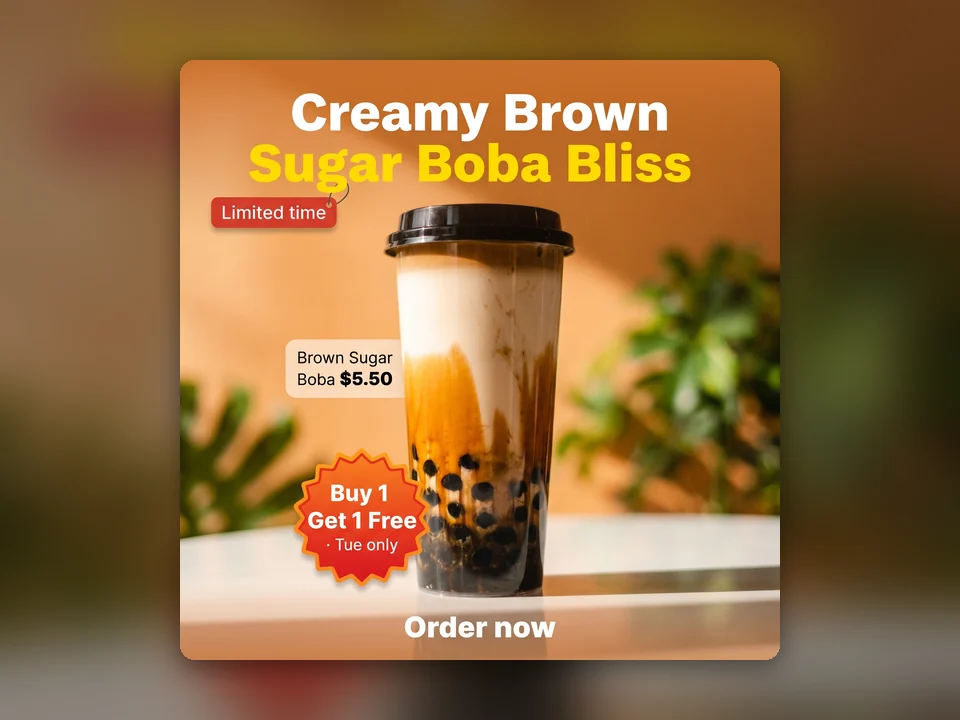
A boba shop types Buy 1 Get 1 Free · Tue only in Offer and picks Limited-time deal. AI Food Ads prints the deal on a bold sticker and gives a square post and a 4:5 feed post for Tuesday.
Launching a new dish
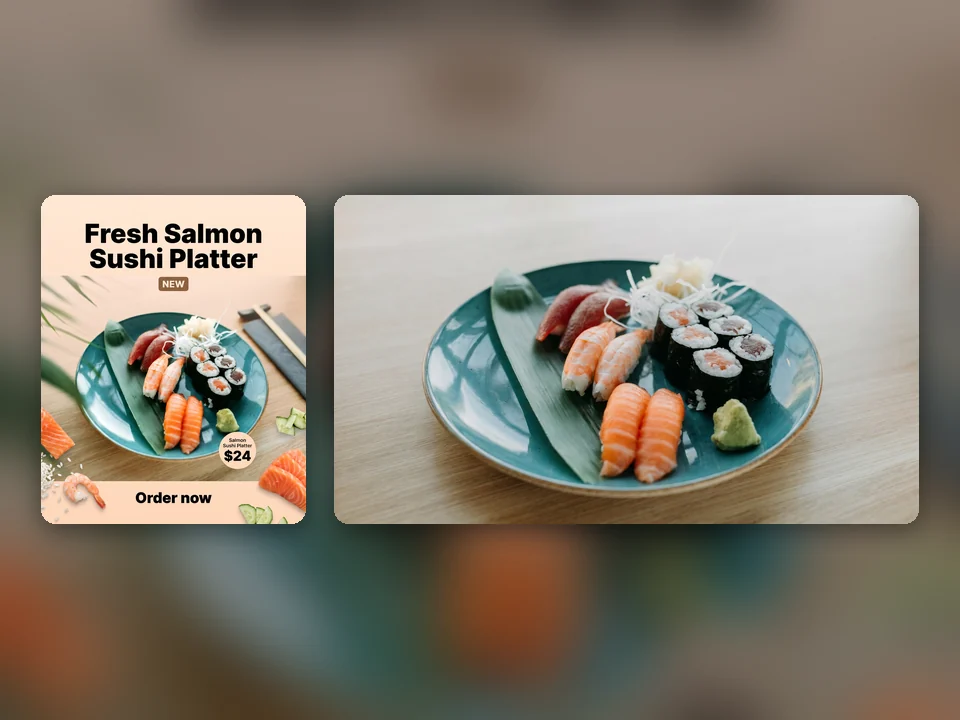
A sushi bar adds its new salmon platter with New on the menu. One run gives an Instagram post with a launch tag and a DoorDash menu photo without text the same day.
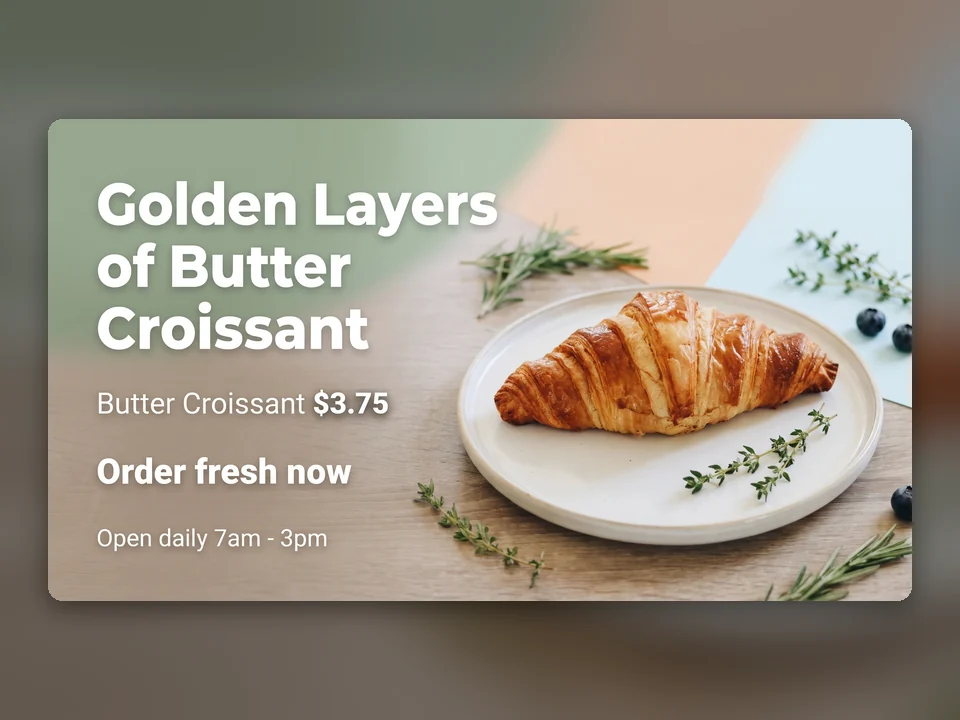
A website banner for a bakery
A bakery adds Open daily 7am - 3pm in Store info and ticks 4:5 and 16:9. One run delivers a feed post and a wide banner for the website, both with the same croissant and price.
Frequently asked questions
How many credits does AI Food Ads use?
Each size costs 7 credits and gives you one image: 7 credits for one size, 14 for two and 42 for all six. The total is shown on the Start generating button before anything is submitted, and any size that cannot be delivered is refunded automatically.
Will AI change my dish?
The tool is built to keep the food, toppings, colors, portion and plate as they appear in your photo, and only to replace the table, background, light and layout. It is told never to add ingredients. Check each ad before you publish it, as you would any photo.
Which sizes can I make?
Square 1:1 and portrait 4:5 for Instagram and Facebook feeds, full-screen 9:16 for Stories, Reels and TikTok, landscape 16:9 for YouTube and websites, plus DoorDash 16:9 and Uber Eats 5:4 menu photos without text. Tick one or several in Output Settings.
Are the delivery photos accepted by DoorDash and Uber Eats?
They follow the published photo guidelines: one dish, centered, natural look, no text, logo, border or collage, at 1920×1080 for DoorDash and 1920×1536 for Uber Eats. Each platform reviews photos itself, so acceptance is decided by the platform, not by AI Food Ads.
What language is the text on the ad?
By default the headline and call to action follow the language you type in, and English is used if you type nothing. You can also pick one of 14 languages in Ad language. Your dish name, prices, offer and store info always stay exactly as you typed them.
Can I make an ad without a photo of my dish?
No. AI Food Ads always starts from a real photo so that customers see the food you actually serve. A clear phone photo works: the tool rebuilds the background and light around your dish.
Get your food ads ready
Sign in, upload a dish photo and AI Food Ads shows the price before anything is generated.